
Meeting Minutes
Your meeting. Our minutes.
Record your meeting in the room. AI writes the draft, asks you a few questions, and your minutes, action list and documents are ready to share.
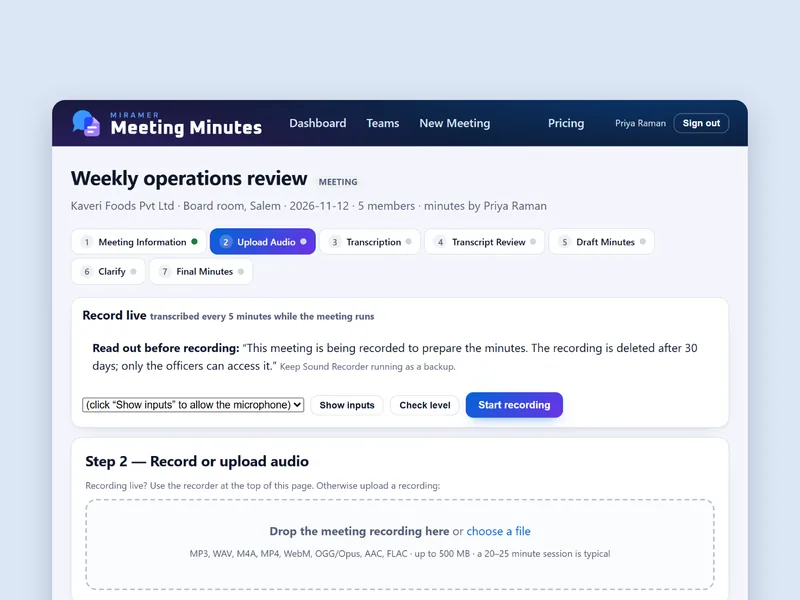
How it works
From the meeting to the finished documents
Record
Open Meeting Minutes on a laptop in the room and press Record. Or upload a recording you already have.
AI writes the draft
The recording becomes draft minutes: a summary, decisions, actions with owners, and key points by topic.
You answer and approve
Where something was unclear, it asks you a few short questions. Your answers always win. You approve the final minutes.
Share the documents
Download the A4 report, the slides and the action list, or copy the WhatsApp-ready text.
What you get
Documents ready to share
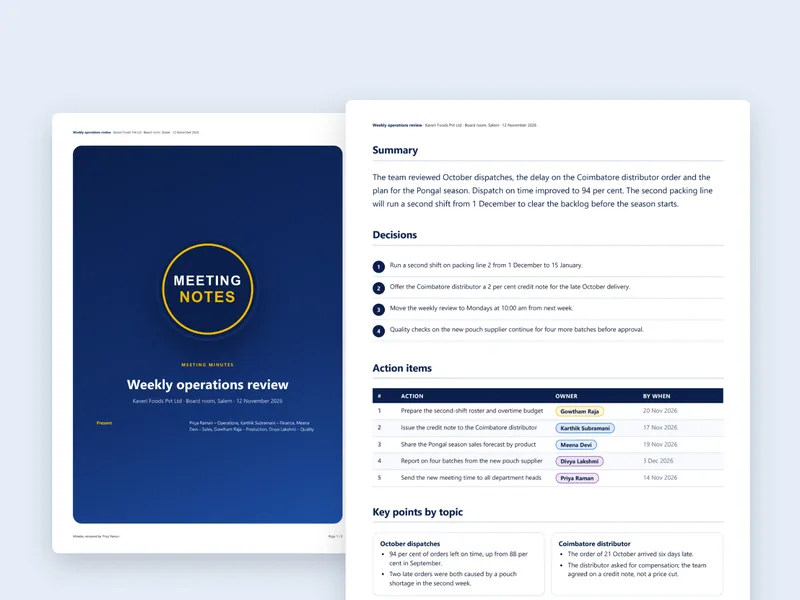
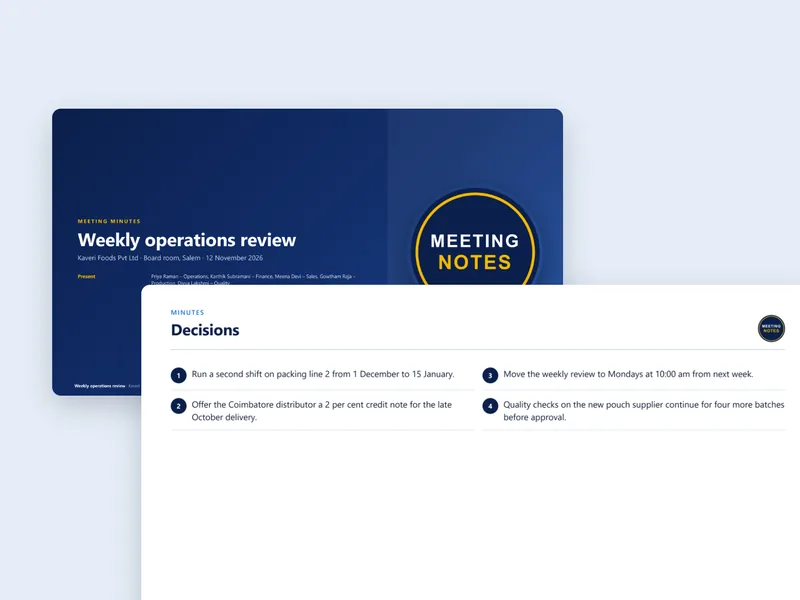
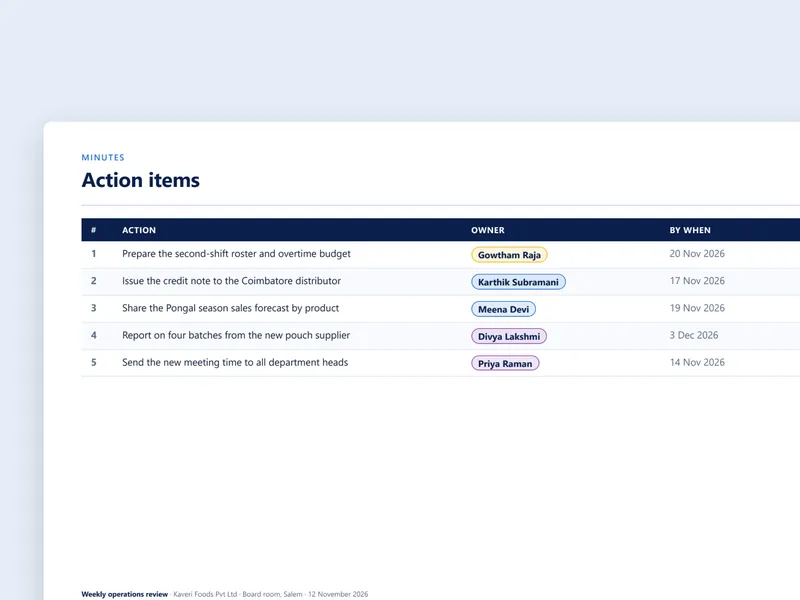
WhatsApp-ready text. Reports on request: action tracker, decision log, one-page summary, follow-up message. Every document in one zip.
Who it is for
Any meeting where decisions are made
Business teams
Weekly reviews, management meetings and client meetings, with actions that have owners and dates.
Associations and business networks
Committee and member meetings, with minutes you can send to every member once you approve them.
Events and conferences
Session notes for each talk or panel, naming the speakers, and one report for the whole event.
Schools, colleges and institutions
Staff, board and committee meetings, kept as a clear record of what was decided.
In the room
Made for real meeting rooms
Tamil and English
Speak the way your team speaks, including a mix of both. The minutes are written in English.
A laptop is enough
A laptop with Chrome or Edge and an internet connection. Nothing to install.
A microphone for larger rooms
For more than about six people, a table microphone is advised so every voice is heard.
Your recordings
Private to your team
Only your team
Recordings and documents are visible only to the logins of your own team.
Audio deleted after 30 days
The recording is deleted automatically 30 days after the final minutes are made. Your documents stay available to download.
No advertising
One cookie keeps you signed in. There are no advertising or tracking cookies.
Prices
Pay for the hours you record
From ₹499 a month + GST
From ₹499 a month + GST, for 3 hours of recording. 15 minutes free for every new team.
AI Documentation Partner, Tier-2 Rising Startup Summit 2026
See all plansFAQ
Questions and answers
What do I need to start?
A laptop with Chrome or Edge and an internet connection. For a room of more than about six people, a table microphone is advised. There is nothing to install.
Which languages does it understand?
Tamil and English, including meetings where people mix the two. The minutes and documents are written in English.
Who writes the minutes?
AI writes the draft from the recording. It then asks you a few short questions where something was unclear, and your answers always win over the draft. Nothing is final until you approve it.
How long do you keep the recording?
The audio is deleted automatically 30 days after the final minutes are made. The minutes and documents are kept while your team uses the service, and deleted when you ask.
Can I cancel, and can I get a refund?
You can cancel a monthly plan at any time; it stops at the end of the month already paid for, and your documents stay available. A payment is refunded in full within 7 days if no paid hours were used.
Record your next meeting with Meeting Minutes
15 minutes free for every new team.